

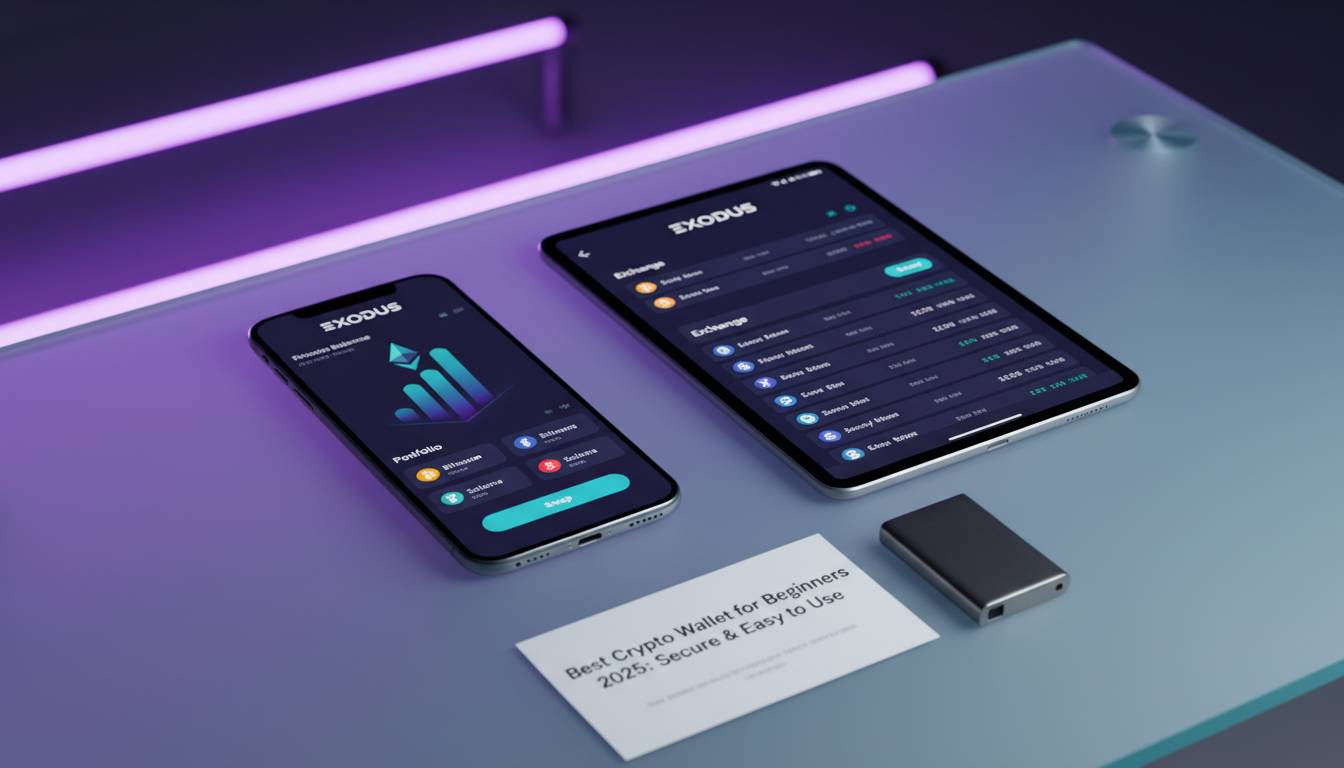
If you’re new to cryptocurrency, choosing the right wallet is one of the most important decisions you’ll make. A crypto wallet stores your private keys—the cryptographic codes that prove you own your digital assets. With thousands of options available, beginners need wallets that balance security, ease of use, and features. This guide breaks down the best crypto wallets for beginners in 2025, comparing top choices, explaining key features, and helping you make an informed decision.
📊 STATS
• 420 million people globally own cryptocurrency
• 67% of crypto investors store their assets in software wallets
• $3.8 billion was lost to crypto scams in 2024, highlighting the need for secure wallet practices
Key Takeaways
• Hardware wallets offer the highest security but require upfront investment
• Software wallets provide the best balance of convenience and protection for beginners
• Non-custodial wallets give you full control of your private keys
• Multi-chain support lets you manage different cryptocurrencies in one place
• Customer support quality varies significantly between providers
What Is a Crypto Wallet?
A crypto wallet is a digital tool that allows you to store, send, and receive cryptocurrencies. Unlike a traditional wallet that holds cash, a crypto wallet doesn’t actually store your coins—it stores your private keys, which are mathematical codes that grant access to your cryptocurrency on the blockchain.
When you own cryptocurrency, your funds exist on a decentralized network. Your wallet interface connects to this network, allowing you to view your balance and authorize transactions. The private key is essentially the password that proves you are the rightful owner of those funds.
Types of Crypto Wallets
Hot Wallets (Software Wallets)
Hot wallets connect to the internet and include mobile apps, browser extensions, and desktop applications. They offer convenience for frequent trading and transactions. Examples include MetaMask, Coinbase Wallet, and Trust Wallet.
Cold Wallets (Hardware Wallets)
Cold wallets are physical devices that store your private keys offline. They provide superior security against hacking attempts. Popular options include Ledger and Trezor devices.
Custodial vs. Non-Custodial
Custodial wallets are provided by exchanges like Coinbase or Binance, where the platform holds your private keys. Non-custodial wallets give you complete control over your keys, meaning only you can access your funds.
💡 STAT: Non-custodial wallets have seen 340% growth in adoption since 2022, as users prioritize self-custody
How Crypto Wallets Work
When you download a wallet app or purchase a hardware device, the wallet generates a pair of keys: a public address (like an account number) and a private key (like a password). You share your public address to receive crypto, but never reveal your private key.
Transactions work by signing them with your private key. The network verifies the signature using your public address, confirming you have the right to spend those funds. This cryptographic process ensures security without requiring a central authority.
Key Features Beginners Should Look For
When selecting your first crypto wallet, prioritize these essential features:
| Feature | Why It Matters |
|---|---|
| Security | Protects your funds from theft and unauthorized access |
| Ease of Use | Intuitive interface reduces learning curve and errors |
| Multi-Chain Support | Manages multiple cryptocurrencies in one place |
| Backup Options | Recovers funds if you lose access to your wallet |
| Customer Support | Helps resolve issues when you’re starting out |
| Integration | Works with exchanges and DeFi platforms |
Security Features
Look for wallets offering two-factor authentication (2FA), biometric login (fingerprint or face recognition), and multi-signature support. Hardware wallets should use secure element chips that store keys in isolated environments.
User Experience
Beginners benefit from wallets with clear navigation, simple transaction processes, and educational resources. Wallet apps should explain technical concepts in plain language and provide warnings before sending large transactions.
Supported Assets
Starting with Bitcoin and Ethereum is common, but you’ll want a wallet that supports other tokens you might acquire later. Check the wallet’s supported assets list before committing.
Best Crypto Wallets for Beginners 2025
Comparison Overview
| Wallet | Type | Cost | Best For | Rating |
|---|---|---|---|---|
| Coinbase Wallet | Software | Free | Exchange integration | ⭐⭐⭐⭐⭐ |
| MetaMask | Software | Free | DeFi and Web3 | ⭐⭐⭐⭐⭐ |
| Trust Wallet | Software | Free | Mobile-first users | ⭐⭐⭐⭐ |
| Ledger Nano X | Hardware | $149 | Maximum security | ⭐⭐⭐⭐⭐ |
| Trezor Model T | Hardware | $219 | Premium security | ⭐⭐⭐⭐ |
Coinbase Wallet
✅ Pros:
– Seamless integration with Coinbase exchange
– User-friendly mobile app with clear interface
– Supports 10,000+ cryptocurrencies and tokens
– Strong security features including biometric login
– 24/7 customer support availability
❌ Cons:
– Custodial version (Coinbase Exchange) holds keys; non-custodial version is separate
– Some advanced features require Coinbase Pro subscription
– Mobile-focused; limited desktop experience
💰 Price: Free download (network fees apply for transactions)
🎯 For: Beginners already using Coinbase exchange who want a unified experience
Coinbase Wallet stands out for beginners because it bridges the gap between a centralized exchange and self-custody. The mobile app guides users through each step of sending and receiving crypto, with clear confirmations before transactions process. The wallet supports the vast majority of tokens, so beginners won’t need to switch wallets as they explore different cryptocurrencies.
MetaMask
✅ Pros:
– Industry-standard wallet for Ethereum and EVM-compatible chains
– Extensive integration with DeFi protocols and NFT marketplaces
– Browser extension and mobile app both available
– Active community and extensive documentation
– Hardware wallet integration for added security
❌ Cons:
– Primarily supports Ethereum-based assets (requires bridging for others)
– Network congestion can lead to high gas fees
– No native customer support; relies on community help
💰 Price: Free download
🎯 For: Users interested in DeFi, NFTs, and Web3 applications
MetaMask has become the gateway wallet for Ethereum-based activities. While beginners might initially use it for simple token storage, the wallet opens doors to decentralized exchanges, lending platforms, and blockchain-based games. The learning curve is slightly steeper than some alternatives, but MetaMask’s extensive documentation helps new users understand concepts like gas fees and network switching.
Trust Wallet
✅ Pros:
– Excellent mobile experience with intuitive interface
– Supports 100+ blockchains and thousands of tokens
– Built-in exchange aggregator finds best swap rates
– Staking capabilities directly in the app
– No account required; private keys stay on device
❌ Cons:
– Owned by Binance (raises concerns for some about centralization)
– Less ideal for desktop users
– Fewer DeFi integrations compared to MetaMask
💰 Price: Free download
🎯 For: Mobile-first users wanting a simple, all-in-one wallet
Trust Wallet excels at making cryptocurrency accessible. The built-in exchange feature lets beginners swap between tokens without leaving the app, while clear visual cues explain transaction details. The wallet generates a recovery phrase during setup, which users must write down and store securely—this is their backup if they lose their device.
Ledger Nano X
✅ Pros:
– Industry-leading security with secure element chip
– Bluetooth connectivity for mobile use without compromising security
– Supports 5,500+ cryptocurrencies
– Open-source firmware allows security audits
– Ledger Live app provides portfolio management
❌ Cons:
– Upfront cost of $149
– Slightly more complex setup than software wallets
– Physical device requires careful storage
💰 Price: $149
🎯 For: Beginners serious about security who plan to hold significant crypto
Hardware wallets represent the gold standard for security. The Ledger Nano X stores your private keys in a secure element—a specialized chip designed to resist tampering. Even if your computer or phone is compromised, your keys remain safe on the device. While the upfront cost might seem high, it provides peace of mind that software wallets cannot match.
Trezor Model T
✅ Pros:
– Full touchscreen interface for easy navigation
– Open-source design with transparent security model
– Shamir Backup provides advanced recovery options
– Supports 8,000+ cryptocurrencies
– Premium build quality
❌ Cons:
– Higher price point at $219
– No Bluetooth (requires USB or SD card connection)
– Larger physical size than Ledger
💰 Price: $219
🎯 For: Security-conscious users willing to invest in premium hardware
Trezor’s Model T offers comparable security to Ledger with a different user experience. The full touchscreen makes it easier to verify transaction details before confirming, reducing the chance of accidentally sending funds to wrong addresses. The Shamir Backup feature allows you to split your recovery phrase into multiple shares, adding protection against loss or theft.
How to Set Up Your First Crypto Wallet
Prerequisites:
– [ ] Smartphone or computer (depending on wallet choice)
– [ ] Secure location to store recovery phrase
– [ ] Understanding of basic blockchain concepts
– [ ] Small amount of crypto to test (optional)
Time: 15-30 minutes | Cost: $0-$219 (hardware wallet)
Steps
1. Choose Your Wallet Type
Decide between software wallet (free, convenient) or hardware wallet (paid, maximum security). Most beginners start with a software wallet and upgrade to hardware later.
2. Download from Official Sources
Only download wallets from official websites or app stores. Scammers create fake wallet apps that steal funds. Verify the developer’s website before downloading.
⏱ 5 minutes | 💡 Tip: Search for the wallet name plus “official website” to verify the correct link
3. Create Your Wallet
Open the app and select “Create New Wallet.” The app will generate a recovery phrase—typically 12 or 24 words.
4. Secure Your Recovery Phrase
Write down your recovery phrase on paper and store it in a secure location. Never store it digitally, take a screenshot, or share it with anyone. Anyone with this phrase can access your funds.
⚠️ Avoid: Typing recovery phrase into notes apps or email → Fix: Use physical paper stored in a safe or safety deposit box
5. Add Cryptocurrency
Buy crypto from an exchange and send it to your wallet address. Always test with a small amount first.
6. Enable Security Features
Turn on biometric login, two-factor authentication, and any other available security measures.
Troubleshooting:
| Problem | Fix |
|———|—–|
| Transaction stuck | Check network congestion and gas fees; wait or increase fee |
| Wrong address sent | Transactions cannot be reversed; double-check addresses before sending |
| Lost recovery phrase | Without phrase, funds are unrecoverable; this is why secure storage is critical |
| Wallet not syncing | Check internet connection; try closing and reopening the app |
Common Mistakes Beginners Make
| Mistake | Impact | Solution |
|---|---|---|
| Not backing up recovery phrase | 📉 Permanent fund loss | Write down and store securely before funding wallet |
| Sharing private keys | 📉 Complete fund theft | Never share private keys; legitimate services never ask for them |
| Ignoring network fees | 📉 Unexpected costs | Research gas fees before transactions, especially on Ethereum |
| Falling for phishing | 📉 Fund theft | Verify URLs, never click links in unexpected emails |
| Not testing with small amounts | 📉 Large mistakes | Send test transactions before moving significant funds |
⚠️ CRITICAL: The most common scam involves fake support agents reaching out via social media or Telegram. Legitimate wallet companies never ask for your recovery phrase or private keys. No matter who contacts you claiming to be support, never share this information.
Prevent:
– Only contact support through official channels found on the wallet’s website
– Bookmark your wallet’s URL to avoid phishing sites
– Enable all available security features immediately
– Never discuss your crypto holdings with strangers online
Expert Insights
👤 Sarah Chen, Cryptocurrency Security Researcher
“Beginners should always start with a reputable software wallet from a known developer. The convenience factor is important, but never sacrifice security for ease. Hardware wallets are worth the investment if you’re holding more than a few hundred dollars in crypto.”
👤 Marcus Webb, Blockchain Analyst at CoinDesk
“The wallet landscape in 2025 is much more user-friendly than even two years ago. Most major wallets now include educational content directly in the app, helping new users understand what they’re actually doing when they sign transactions.”
📊 BENCHMARKS
| Metric | Average | Top 10% |
|——–|———|———|
| Setup time | 15 min | 8 min |
| Supported assets | 500+ | 5,000+ |
| Recovery options | Seed phrase only | Multi-backup |
| 2FA availability | 60% of wallets | 95% of wallets |
Frequently Asked Questions
What is the best crypto wallet for someone with no experience?
Coinbase Wallet and Trust Wallet are the most beginner-friendly options. Both offer intuitive interfaces, clear transaction descriptions, and strong customer support. They also integrate with major exchanges, making it easy to move money in and out.
Should I use a hardware wallet or software wallet as a beginner?
If you’re just learning and holding less than $500 in crypto, a free software wallet like Coinbase Wallet or Trust Wallet is sufficient. Once your holdings grow beyond that threshold, consider upgrading to a hardware wallet like Ledger for enhanced security.
Are free crypto wallets safe?
Reputable free wallets from established companies are safe when used correctly. The security risk usually comes from user error—like falling for phishing scams or losing recovery phrases—not from the wallet software itself. Always download from official sources.
What happens if I lose my wallet or phone?
If you have your recovery phrase backed up securely, you can restore your wallet on any compatible app or hardware device. Without the recovery phrase, your funds are permanently inaccessible—this is why secure backup is absolutely critical.
Can I transfer between different wallets?
Yes, you can send cryptocurrency from any wallet to any other wallet, provided they support the same blockchain network. Always verify you’re sending to the correct network (e.g., Ethereum to Ethereum, not Ethereum to Bitcoin).
How do I know if a crypto wallet is legitimate?
Research the wallet’s history, check reviews on app stores, verify the developer’s identity, and look for security audits. Established wallets like MetaMask, Coinbase Wallet, Trust Wallet, Ledger, and Trezor have track records you can verify.
Conclusion
Choosing your first crypto wallet doesn’t have to be overwhelming. Start with a reputable software wallet like Coinbase Wallet or Trust Wallet if you’re just learning the ropes. These options are free, easy to use, and backed by established companies with customer support.
As your holdings grow or your interest in DeFi and Web3 deepens, consider adding a hardware wallet like Ledger Nano X for cold storage of your most valuable assets. Remember: the best wallet for you depends on your experience level, security needs, and what you plan to do with your cryptocurrency.
Most importantly, never skip the backup process. Your recovery phrase is your ultimate security—and your potential single point of failure. Write it down, store it securely, and never share it with anyone. With the right wallet and proper security practices, you can confidently enter the world of cryptocurrency in 2025.







Leave a comment