

A Bitcoin wallet is your gateway to sending, receiving, and storing cryptocurrency. Unlike a traditional wallet that holds cash, a Bitcoin wallet holds your private keys—the cryptographic credentials that prove ownership of your Bitcoin and authorize transactions. Understanding how to use one correctly is essential before making your first transaction.
Key Insights
- Over 420 million people globally use cryptocurrency wallets
- The average Bitcoin transaction takes 10-60 minutes to confirm on the blockchain
- Lost or forgotten private keys account for approximately 20% of all Bitcoin that may never be recoverable
- Hardware wallets can reduce theft risk by up to 95% compared to hot wallets
What Is a Bitcoin Wallet and How Does It Work?
A Bitcoin wallet is software or hardware that interacts with the Bitcoin blockchain to manage your cryptocurrency. It doesn’t actually “store” your Bitcoin—your coins exist as transaction records on the distributed ledger. The wallet stores your private keys, which are mathematically linked to your public address.
Understanding Public Addresses and Private Keys
Your public address functions like a bank account number—share it freely so others can send you Bitcoin. Your private key functions like your PIN or password—never share it with anyone. Anyone with your private key has complete control over your Bitcoin.
When you initiate a transaction, your wallet uses your private key to create a digital signature that authorizes the transfer. This signature proves you own the funds without revealing your private key to the network.
Hot Wallets vs. Cold Wallets
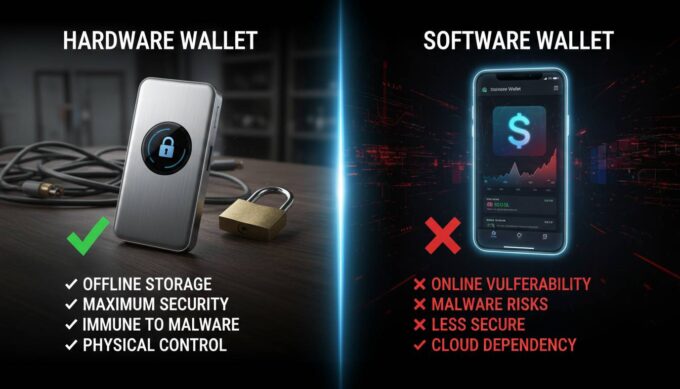
Hot wallets connect to the internet, making them convenient for frequent transactions. They include mobile apps, desktop software, and web-based exchanges. Examples include Coinbase Wallet, Blockchain.com, and Electrum.
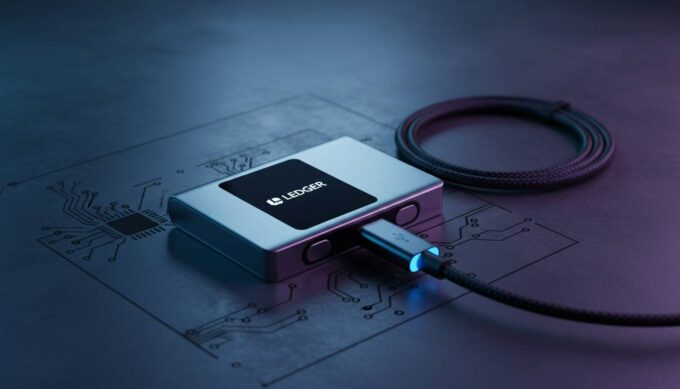
Cold wallets remain offline, providing superior security for长期 storage. They include hardware devices like Ledger and Trezor, and paper wallets printed offline.
| Wallet Type | Security Level | Best For | Example Products |
|---|---|---|---|
| Hot (Mobile) | Medium | Small amounts, daily use | Trust Wallet, Coinomi |
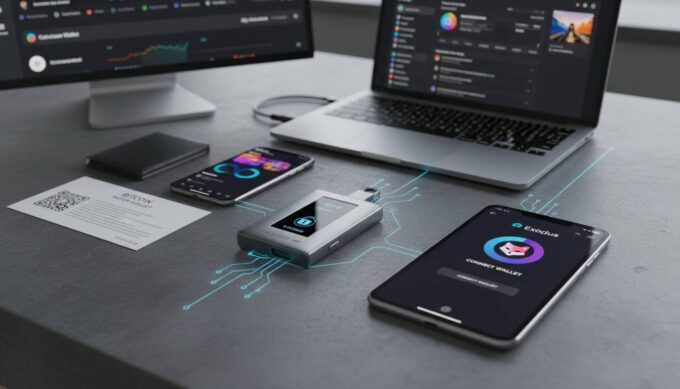
| Hot (Desktop) | Medium | Medium amounts, regular trading | Electrum, Exodus |
| Hardware | High | Large amounts, long-term storage | Ledger, Trezor |
| Paper | Very High | Archival, offline backup | Generated offline |
How to Set Up Your First Bitcoin Wallet
Setting up a wallet takes 15-30 minutes depending on the type you choose. Here’s a step-by-step walkthrough using a popular mobile wallet.
Step 1: Choose Your Wallet Type
For beginners, a reputable mobile wallet offers the best balance of usability and security. Download apps only from official sources—Apple App Store or Google Play Store—to avoid malicious software.
Recommended starting wallets:
- Coinbase Wallet – User-friendly, integrated with major exchange
- Trust Wallet – Wide cryptocurrency support, mobile-focused
- BlueWallet – Simple interface, optional connection to your own node
Step 2: Download and Install
Search for your chosen wallet in your app store. Verify the developer’s name matches official sources. Check user reviews and download counts as additional verification.
Step 3: Create Your Wallet
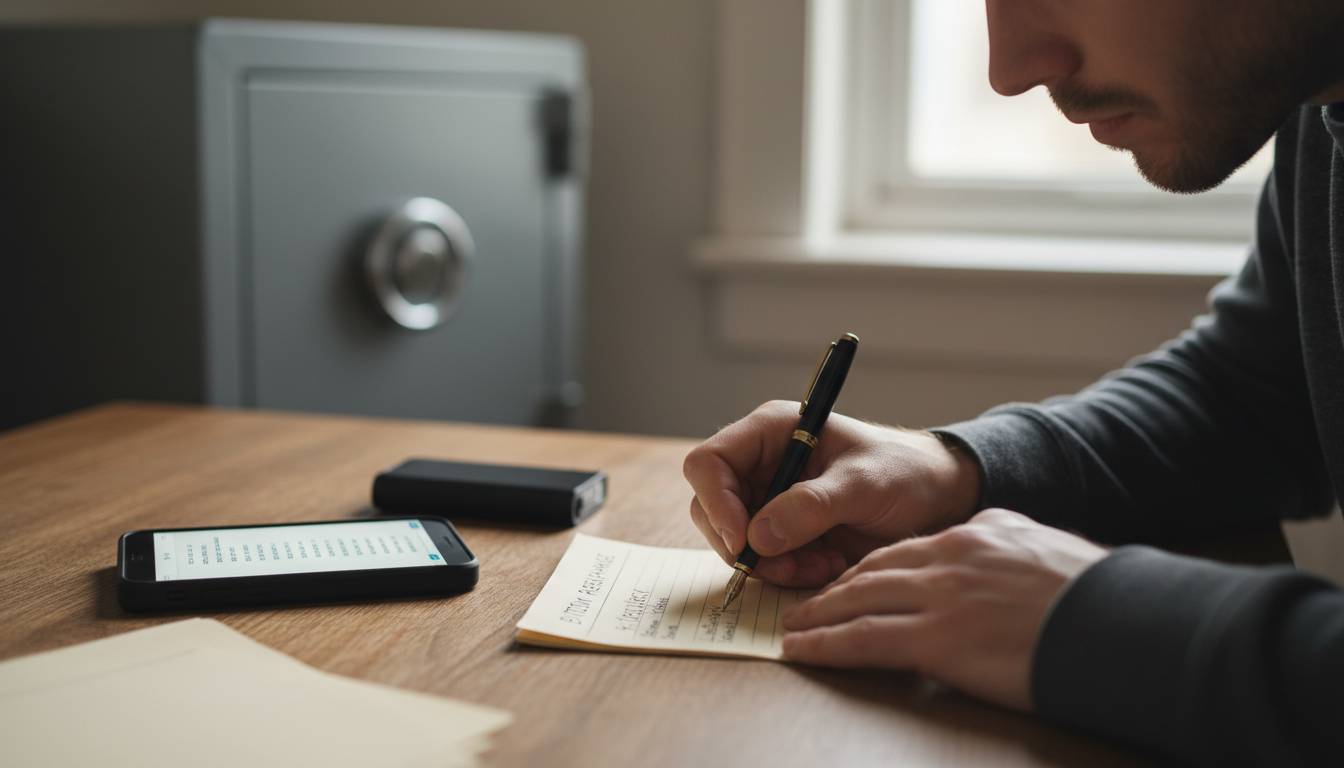
Open the app and select “Create New Wallet.” You’ll receive a 12-word or 24-word seed phrase (also called recovery phrase or mnemonic). This seed phrase is the master key to your wallet.
Critical security requirements:
- Write down your seed phrase on paper—multiple copies in secure locations
- Never store it digitally (no screenshots, no cloud storage, no notes apps)
- Store it somewhere fireproof and water-resistant
- Never share this phrase with anyone, including wallet support staff
Step 4: Secure Your Wallet
Enable all available security features:
- PIN/biometric lock – Adds a barrier to open the app
- Two-factor authentication – If supported, requires secondary verification
- Auto-lock timer – Automatically locks after inactivity
- Transaction limits – Restricts large transfers without confirmation
Step 5: Verify Your Recovery Phrase
Most quality wallets ask you to confirm your seed phrase by selecting words in order. This ensures you recorded it correctly before you fund the wallet.
How to Receive Bitcoin
Receiving Bitcoin requires sharing your public address and waiting for the transaction to confirm on the blockchain.
Finding Your Bitcoin Address
- Open your wallet app
- Look for “Receive,” “Deposit,” or a QR code icon
- Your Bitcoin address will display as a long string starting with “1,” “3,” or “bc1”
- Tap to copy or use the QR code for easy sharing
Sharing Your Address Safely
Bitcoin addresses are safe to share publicly. You can post them on social media, include them in invoices, or share them for payment. The only risk is privacy—anyone can see all transactions associated with an address.
For enhanced privacy, generate a new address for each transaction. Most wallets do this automatically.
Understanding Transaction Confirmations
When someone sends you Bitcoin, the transaction enters the mempool (waiting area). Miners confirm it by including it in a block. Most exchanges require:
- 1 confirmation – ~10 minutes average, sufficient for small amounts
- 3 confirmations – ~30 minutes, standard for moderate amounts
- 6 confirmations – ~60 minutes, recommended for large amounts
How to Send Bitcoin
Sending Bitcoin requires careful attention to addresses and fees. One wrong character can permanently lose your funds.
Step 1: Enter Recipient Address
Copy the recipient’s address directly from your source—never type it manually. Double-check the first few and last few characters before confirming.
Bitcoin addresses include built-in error detection (checksum), so very few typos will be caught. However, any incorrect address typically results in permanent loss.
Step 2: Specify Amount
Enter the amount in BTC or your local currency. Most wallets convert automatically using current exchange rates.
Important consideration: Bitcoin transactions include fees paid to miners. The total amount deducted from your wallet exceeds the amount sent. Ensure you have enough balance to cover both.
Step 3: Review Transaction Details
Before confirming, verify:
- ✅ Recipient address is correct
- ✅ Amount is what you intended
- ✅ Network fee is acceptable
- ✅ Wallet has sufficient balance
Step 4: Confirm and Broadcast
Confirm the transaction with your PIN, biometric, or password. Your wallet broadcasts it to the network. Once broadcast, you cannot reverse it.
Understanding Bitcoin Transaction Fees
Bitcoin fees vary based on network demand. During high-traffic periods, fees increase significantly.
Fee Calculation Methods
Most wallets automatically suggest fees based on current network conditions. Three common models exist:
| Model | Description | Best For |
|---|---|---|
| Fixed fee | Set amount regardless of conditions | Predictable costs, non-urgent |
| Priority fee | Higher fees for faster confirmation | Time-sensitive transactions |
| Dynamic/Smart | Algorithm adjusts based on mempool | Most users |
Fee Estimation
Check current average fees at sources like mempool.space or blockchain.com. As of 2024:
- Low priority (~1 sat/vB) – 1-2 days confirmation, under $2
- Medium priority (~5-10 sat/vB) – 1-6 hours, $2-10
- High priority (~20+ sat/vB) – Next block, $10-50+
For small transactions, ensure fees don’t exceed 1-2% of the transfer amount.
Securing Your Bitcoin Wallet
Cryptocurrency security requires different thinking than traditional finance. There are no password resets, no chargebacks, and no bank guarantees.
Essential Security Practices
For all wallets:
- Enable every available security feature
- Keep your seed phrase offline and physical
- Never share your private keys or seed phrase
- Verify wallet addresses before sending
- Update your wallet app when updates release
For larger holdings:
- Use a hardware wallet for amounts exceeding $1,000
- Consider a multi-signature setup for extreme security
- Store seed phrase copies in multiple secure locations
- Consider safe deposit boxes for backup copies
Common Security Threats
Phishing – Attackers create fake wallet websites or apps. Always verify URLs and only download from official stores.
Malware – Keyloggers and clipboard hijackers target crypto users. Use hardware wallets for large amounts and verify addresses on device screens.
SIM swapping – Attackers transfer your phone number to their device. Enable SIM swap protection with your carrier and use 2FA that’s not SMS-based.
Common Mistakes to Avoid
Mistake 1: Sending to the Wrong Address
Impact: Permanent loss of funds
Solution: Always verify addresses character-by-character, send small test amounts first
Mistake 2: Losing Your Seed Phrase
Impact: Permanent loss of access
Solution: Write it down physically, create multiple backups, store securely
Mistake 3: Using Exchange Wallets Long-Term
Impact: Counterparty risk, limited control
Solution: Withdraw to personal wallet after purchasing
Mistake 4: Ignoring Network Fees
Impact: Stuck transactions or overpaying
Solution: Use fee estimation tools and adjust for urgency
Mistake 5: Sharing Private Keys
Impact: Complete theft of funds
Solution: Your private key should never leave your wallet
Choosing the Right Wallet for Your Needs
Different use cases call for different wallet strategies.
Beginner (First Bitcoin Purchase)
Start with a mobile wallet from a reputable exchange (Coinbase Wallet, Kraken, Gemini). These integrate with easy buying options and provide familiar interfaces.
Regular User (Weekly Transactions)
Use a mobile hot wallet for convenience with a hardware wallet for savings. Keep only what you need for 1-2 months in the hot wallet.
Long-Term Holder (HODL Strategy)
Hardware wallet for all funds. Consider multi-signature setup. Keep seed phrase in secure, distributed locations.
Privacy-Conscious User
Use wallets with Tor integration, generate fresh addresses, consider coin mixing services (research legality in your jurisdiction), avoid reusing addresses.
Conclusion
Using a Bitcoin wallet becomes intuitive within the first few transactions. The critical elements are understanding the difference between your public address and private key, securing your seed phrase physically, and always verifying transaction details before confirming.
Start with a small amount—$10-20 worth—to practice sending and receiving before moving larger sums. This builds confidence and reveals any setup issues before they become costly mistakes.
Bitcoin gives you complete control over your money, but that control comes with full responsibility. Take time to understand these fundamentals, implement proper security, and your journey with cryptocurrency will be significantly safer.
Frequently Asked Questions
Can I have multiple Bitcoin wallets?
Yes, you can create and use unlimited wallets. Many users maintain multiple—perhaps a mobile wallet for spending, a hardware wallet for savings, and different addresses for privacy purposes.
What happens if I lose my phone with my Bitcoin wallet?
If you have your seed phrase backed up, you can restore your wallet on any device. Install your wallet app on a new device, select “Restore Wallet,” and enter your seed phrase. Your Bitcoin remains on the blockchain, not on your phone.
Are Bitcoin wallets anonymous?
Bitcoin wallets are pseudonymous—addresses aren’t linked to identities by default, but transactions are publicly visible on the blockchain. Analysis firms can often identify users. For anonymity, use privacy-focused wallets and practices.
How much does it cost to set up a Bitcoin wallet?
Most software wallets are free to download and use. Hardware wallets cost $50-250 depending on model and features. Transaction fees vary based on network demand but typically range from $1-20 per transaction.
Can I convert my Bitcoin to cash through my wallet?
Direct cash conversion usually requires selling on an exchange. Some wallets integrate with exchange services for in-app trading. You can also use Bitcoin ATMs for cash withdrawal, though fees are higher.
Do Bitcoin wallets work internationally?
Yes, Bitcoin operates globally without regard to borders. You can send and receive Bitcoin from anywhere with internet access. However, local regulations regarding cryptocurrency vary significantly by country.





Leave a comment