

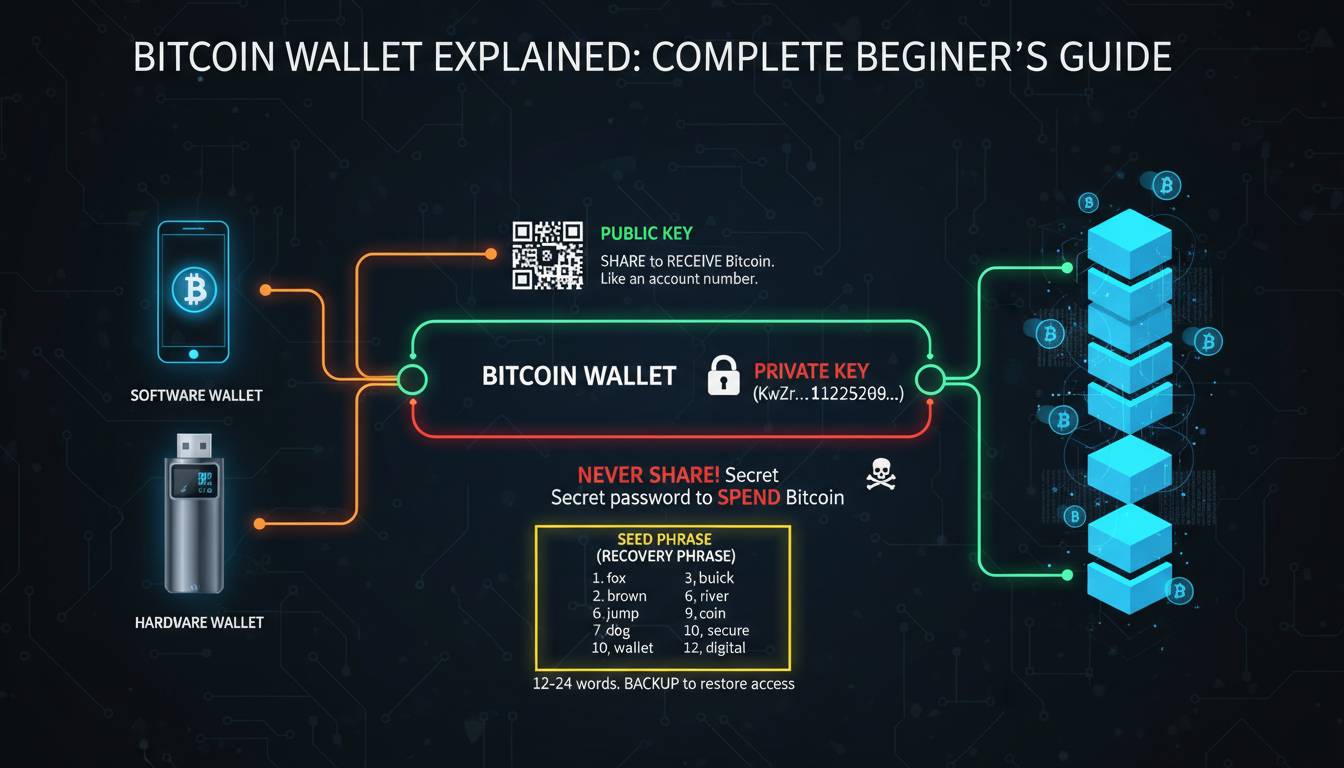
A Bitcoin wallet is a digital tool that allows you to send, receive, and store Bitcoin. It doesn’t actually hold Bitcoin itself—instead, it stores the cryptographic keys that prove ownership of your Bitcoin on the blockchain. Think of it like a physical wallet: you don’t store money inside the wallet; the wallet holds the keys to access your money stored in a bank. Similarly, your Bitcoin exists on the blockchain, and your wallet provides the credentials to manage it.
| Component | Function | Analogy |
|---|---|---|
| Public Key | Receive Bitcoin | Bank account number |
| Private Key | Access/transfer Bitcoin | ATM PIN |
| Seed Phrase | Backup/recovery | Master password |
| Blockchain Record | Actual Bitcoin storage | Bank’s ledger |
What Actually Is a Bitcoin Wallet?
At its core, a Bitcoin wallet is a piece of software or hardware that manages your private keys. Every Bitcoin transaction requires a digital signature created using your private key, and only someone with that key can authorize a transfer of your Bitcoin. The wallet generates these signatures without exposing your private key to the network, making it secure to transact.
Your public key is derived mathematically from your private key and can be shared freely. Anyone can send Bitcoin to your public address (which is a shortened version of your public key), but only you can spend that Bitcoin with your private key. This asymmetric cryptography forms the foundation of Bitcoin’s security model.
The blockchain serves as a decentralized public ledger recording all Bitcoin transactions. When someone sends you Bitcoin, they’re essentially updating the blockchain to show that a certain amount has been transferred to your public address. Your wallet doesn’t store this ledger—nodes throughout the Bitcoin network maintain it. Your wallet simply holds the keys that prove the Bitcoin associated with your addresses belongs to you.
Modern wallets don’t just handle a single address. Most generate a new address for each transaction to enhance privacy, managing a collection of addresses known as a wallet seed. All of these addresses can be recovered using your seed phrase—a sequence of 12 or 24 words that serves as a master backup of your wallet.
Types of Bitcoin Wallets Explained
Bitcoin wallets fall into four main categories, each with distinct trade-offs between security, convenience, and accessibility.
Software Wallets
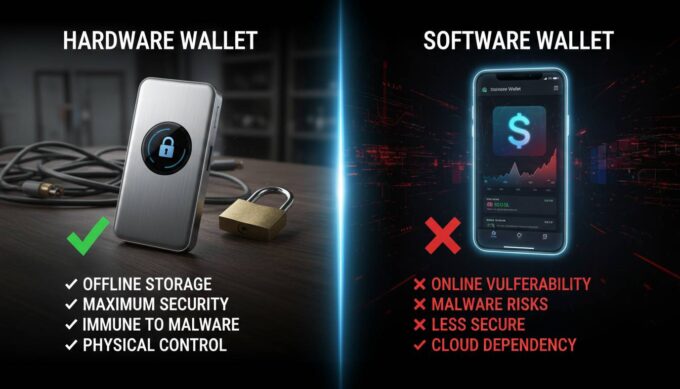
Software wallets are applications you install on your computer or smartphone. They offer a good balance between security and ease of use, making them popular for everyday transactions. Desktop wallets run on your computer and give you full control over your keys, though they’re only accessible from that specific device. Mobile wallets provide the convenience of accessing your Bitcoin anywhere, using your phone’s camera to scan QR codes for addresses.
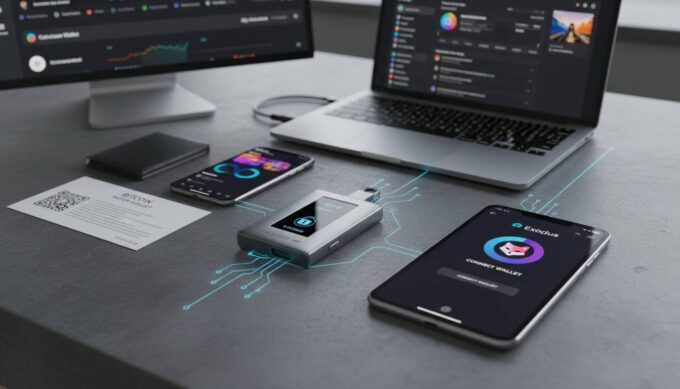
Examples include: Electrum, Exodus, Trust Wallet, and BlueWallet. Most are free to download, though some charge small transaction fees for using their services.
Hardware Wallets
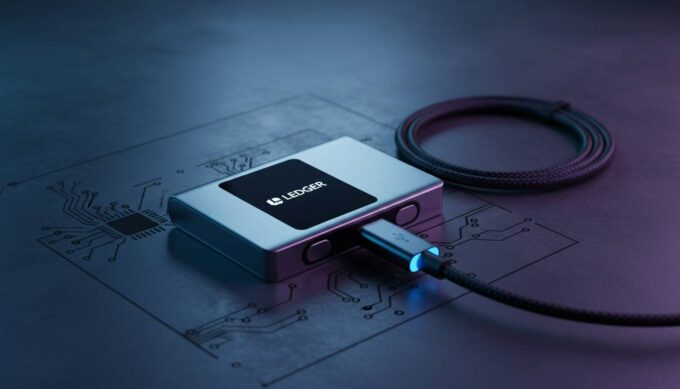
Hardware wallets store your private keys on a dedicated physical device that never connects to the internet unless you’re making a transaction. This isolation from online threats makes them the most secure option for storing significant amounts of Bitcoin. When you want to send Bitcoin, you connect the device to your computer, confirm the transaction on the hardware wallet’s screen, and the device signs the transaction internally.
Examples include: Ledger, Trezor, and Coldcard. Prices typically range from $80 to $250, representing an investment in long-term security.
Paper Wallets
A paper wallet is simply a physical document containing your public and private keys, often printed as QR codes. Since it’s completely offline, it’s immune to digital theft—unless someone physically steals the paper. However, paper wallets require careful handling and are considered outdated compared to hardware wallets, as importing keys into software to spend Bitcoin can expose them to online risks if not done carefully.
Web Wallets
Web wallets run in your browser and are hosted by third-party services. They offer the easiest onboarding but require trusting the provider to secure your keys properly. Major cryptocurrency exchanges like Coinbase and Kraken offer built-in wallets, though these are technically custodial—meaning the exchange holds the keys, not you. This convenience comes with counterparty risk: if the exchange is hacked or goes bankrupt, you could lose access to your Bitcoin.
Hot vs. Cold Wallets
The distinction between hot and cold wallets is simple: hot wallets are connected to the internet (software and web wallets), while cold wallets remain offline (hardware and paper wallets). Hot wallets suit small amounts for frequent spending, while cold wallets protect larger holdings长期存储.
| Wallet Type | Security | Convenience | Best For |
|---|---|---|---|
| Hardware | ⭐⭐⭐⭐⭐ | ⭐⭐⭐ | Long-term storage |
| Software | ⭐⭐⭐⭐ | ⭐⭐⭐⭐ | Daily transactions |
| Paper | ⭐⭐⭐⭐⭐ | ⭐ | Cold storage (advanced users) |
| Web/Exchange | ⭐⭐⭐ | ⭐⭐⭐⭐⭐ | Beginners, small amounts |
How Bitcoin Wallets Work (The Technical Part Made Simple)
Understanding what happens behind the scenes when you send Bitcoin helps you appreciate why wallet security matters.
Step 1: Creating a Transaction
When you decide to send Bitcoin, your wallet constructs a transaction that specifies how much to send and to which address. It then creates a cryptographic hash—a unique fingerprint of the transaction data.
Step 2: Signing the Transaction
Your wallet uses your private key to create a digital signature that proves you authorize this transaction. This signature is mathematically linked to your public key, allowing anyone to verify that the signature is valid without ever seeing your private key.
Step 3: Broadcasting
Once signed, your wallet broadcasts the transaction to the Bitcoin network. Nodes throughout the network receive it, verify the signature is valid, and confirm you have sufficient balance.
Step 4: Confirmation
Miners group your transaction into a block and add it to the blockchain. Each subsequent block increases confirmation depth, making the transaction increasingly difficult to reverse. Most exchanges consider a transaction confirmed after 3-6 blocks (typically 30-60 minutes).
Public Keys vs. Private Keys: Why the Distinction Matters
Your public key and address can be shared freely—think of them like your email address or bank account number. People need this information to send you Bitcoin. Your private key, however, must remain secret—anyone with your private key can transfer all your Bitcoin. This is why security experts emphasize never sharing your private key or seed phrase with anyone.
The seed phrase solves a practical problem: private keys are long random strings of characters (64 characters in hexadecimal), impossible to remember and easy to lose. The seed phrase converts this into 12-24 common English words that humans can write down and remember. From this seed, your wallet can derive unlimited private keys and addresses, making backup simple.
Choosing the Right Wallet for Your Needs
Selecting a wallet depends on how much Bitcoin you plan to hold, how often you’ll transact, and your technical comfort level.
For Beginners (Under $1,000 in Bitcoin):
Start with a reputable exchange wallet (Coinbase, Kraken) or a well-established mobile wallet (Trust Wallet, Exodus). These offer user-friendly interfaces, easy recovery options, and integration with exchange features. The security trade-off is acceptable for small amounts, provided you enable two-factor authentication on your exchange accounts.
For Regular Users ($1,000-$10,000):
A non-custodial software wallet provides better security than exchange wallets while maintaining convenience. Pair this with a hardware wallet if you plan to accumulate over time—buy the hardware wallet once and use the software wallet primarily for smaller transactions.
For Serious Holders ($10,000+):
Hardware wallets become essential. Many serious investors use a multi-signature setup requiring multiple devices or approvals for transactions. Store your seed phrase securely offline—consider steel backup plates that survive fires and floods.
For Privacy-Conscious Users:
Choose wallets that generate fresh addresses for each transaction (standard in most modern wallets). Avoid web wallets that link your identity to transactions. Some wallets like Samourai or Wasabi offer enhanced privacy features like coin mixing, though these require more sophisticated understanding.
Setting Up Your First Bitcoin Wallet
Getting started with your first wallet involves several important steps.
1. Choose Your Wallet
Research wallet options based on your needs. Download exclusively from official sources—wallet websites, app stores, or authorized resellers. Avoid clicking links in emails or social media promoting specific wallets, as these are common phishing vectors.
2. Install and Create
Follow the wallet’s setup process to generate your keys. Write down your seed phrase the moment it appears—this is your only backup. Never take screenshots or store digital copies of your seed phrase.
3. Verify Your Backup
Before transferring any significant amount, test your backup by restoring your wallet on another device (or fresh installation) using your seed phrase. Confirm you can access your funds. If your backup fails, you’ll discover this with small amounts rather than life-changing sums.
4. Secure Your Device
Ensure your computer or phone runs current software, use strong unique passwords, and consider enabling biometric authentication if your wallet supports it. For hardware wallet users, only purchase from authorized retailers and verify the device packaging hasn’t been tampered with.
5. Make a Test Transaction
Send a small amount (a few dollars worth) to test the full flow: receiving, holding, and sending. This verifies everything works before committing larger amounts.
Common Mistakes to Avoid
| Mistake | Impact | Solution |
|---|---|---|
| Storing seed phrase digitally | Hackers can steal entire wallet | Write on paper, store in secure location |
| Using exchange wallets long-term | Exchange hack or insolvency = total loss | Withdraw to personal wallet |
| Not verifying addresses | Sending to wrong address = permanent loss | Always verify first and last 4 characters |
| Ignoring transaction fees | Overpaying or stuck transactions | Adjust fee based on network congestion |
| Sharing private keys | Complete theft of funds | Never share, even with “support” |
Best Practices for Security
Security expert recommendations converge on several principles. First, the amount in any hot wallet should be limited to what you’d comfortably carry as cash. Keep the bulk of holdings in hardware or paper wallets. Second, your seed phrase needs physical security—fireproof safes, safety deposit boxes, or trusted family members. Third, diversify: consider splitting your holdings across multiple wallets to avoid single points of failure.
Using multi-signature wallets adds another layer: transactions require approval from multiple keys (say, 2 of 3), so a single compromised device can’t empty your wallet. This is particularly valuable for organizations or substantial personal holdings.
Future of Bitcoin Wallets
Bitcoin wallet technology continues evolving. Keyless custody solutions allow institutions to hold Bitcoin without managing private keys directly, appealing to traditional financial players. Lightning Network wallets enable near-instant, low-fee transactions for everyday payments, pushing Bitcoin closer to peer-to-peer electronic cash. Privacy enhancements like Taproot improve transaction efficiency and obscure transaction details.
Custodial services are consolidating, while self-custody tools become more user-friendly. The tension between convenience and security will continue driving innovation, with wallet developers balancing accessibility for mainstream adoption against the security requirements that protect users.
Frequently Asked Questions
Can I have multiple Bitcoin wallets?
Yes, you can have as many wallets as you want. Many users maintain multiple wallets for different purposes—a mobile wallet for spending, a hardware wallet for savings, and perhaps a paper wallet for emergency backup. All can be restored using your seed phrase if needed, though some wallets use different derivation paths making cross-wallet recovery complex.
What happens if I lose my wallet?
If you lose your device, you can recover your Bitcoin using your seed phrase on a new wallet. However, if you lose both your device AND your seed phrase, your Bitcoin is permanently inaccessible. This is why proper seed phrase backup is critical.
Are Bitcoin wallets free?
Software wallets are typically free to download and use. Hardware wallets cost between $80-$250. Exchange wallets are free but come with the tradeoff that the exchange holds your keys. Some wallets charge network transaction fees, but these go to Bitcoin miners, not the wallet provider.
Is it safe to keep Bitcoin on an exchange?
Exchanges provide convenience but introduce counterparty risk. They can be hacked (Mt. Gox, Coincheck), freeze accounts, or become insolvent. For amounts you’d be devastated to lose, self-custody with a hardware wallet is the safer approach. For small amounts you plan to trade frequently, exchange wallets offer acceptable convenience.
How do I know my wallet is secure?
Look for wallets that are open-source (code publicly auditable), have undergone security audits, and have established track records. Check whether the wallet gives you control of your private keys (non-custodial). Hardware wallets provide the strongest security through offline key storage. Enable all available security features: biometrics, PINs, and two-factor authentication where applicable.
Can someone steal my Bitcoin if they know my public address?
No. Your public address is safe to share—it’s like giving out your bank account number. Only your private key can authorize transactions. However, sharing addresses publicly links all transactions to that address, reducing your privacy. Many wallets generate new addresses for each transaction specifically to protect privacy.
Conclusion
A Bitcoin wallet is your gateway to the Bitcoin network—not a storage container for digital coins, but a key manager that controls access to your holdings on the blockchain. Understanding the distinction between public keys and private keys, choosing appropriate wallet types for your needs, and implementing proper security practices are essential steps for anyone entering the Bitcoin space.
Start with a reputable wallet that matches your experience level, back up your seed phrase properly, and only transfer amounts you’re comfortable with. As your holdings grow, consider migrating to hardware wallets for enhanced security. The Bitcoin ecosystem offers unprecedented financial sovereignty, but that comes with personal responsibility—your keys, your Bitcoin.





Leave a comment