

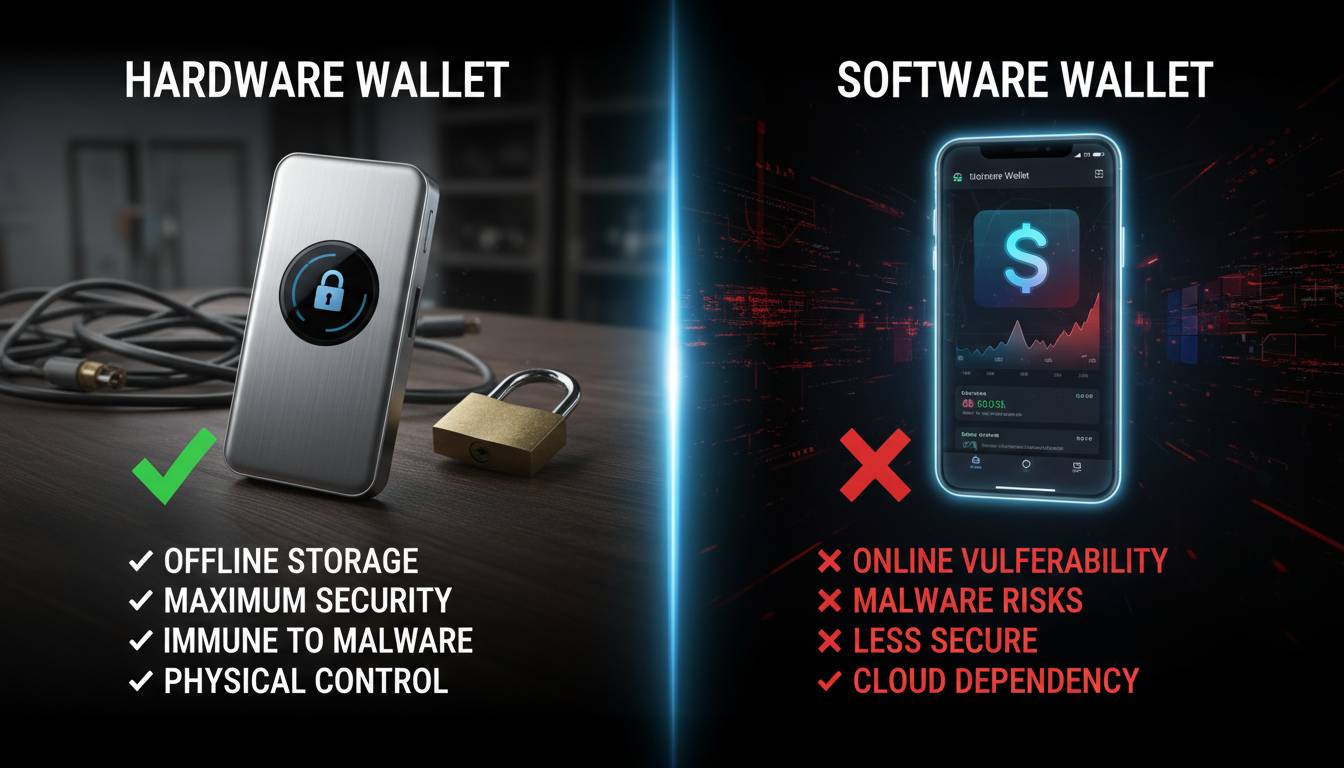
Choosing between a hardware wallet and a software wallet is one of the most consequential decisions cryptocurrency holders make regarding their digital asset security. With over $200 billion in Bitcoin alone lost to hacks, scams, and forgotten keys over the past decade, the wallet you choose directly impacts whether you maintain control of your funds or become another cautionary tale in crypto’s history.
This guide provides a comprehensive, unbiased comparison of hardware and software wallets, examining security mechanisms, user experience, costs, and real-world use cases. By the end, you’ll have the knowledge to select the wallet type that aligns with your holdings, technical comfort level, and risk tolerance.
What Is a Hardware Wallet?
A hardware wallet is a physical device designed specifically to store cryptocurrency private keys offline. These devices resemble USB drives or small handheld calculators and interface with computers or smartphones only when needed to sign transactions.
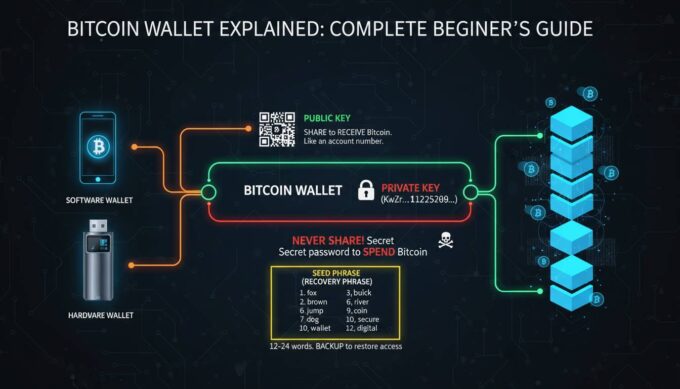
The fundamental security principle behind hardware wallets is cold storage—keeping private keys completely disconnected from internet-connected devices whenever possible. When you initiate a transaction, the hardware wallet signs it internally using your private key, then transmits only the signed transaction to your computer or phone. Your private key never leaves the device or touches an internet-connected machine.
Leading hardware wallets include:
- Ledger (Nano X, Nano S Plus) — French company, over 6 million devices sold
- Trezor (Model T, Model One) — Czech company, pioneered hardware wallets in 2014
- Ellipal — Chinese company, focuses on air-gapped security
- Coldcard — Canadian company, Bitcoin-only focus with advanced security features
Hardware wallets typically cost between $79 and $249, representing a significant upfront investment but one that many consider justified for holdings exceeding a few thousand dollars.
What Is a Software Wallet?
A software wallet is an application—desktop, mobile, or browser-based—that stores your private keys on an internet-connected device. These wallets can be custodial (where the service provider holds your keys) or non-custodial (where you retain control, though keys remain on your device).
Software wallets range from simple mobile apps to sophisticated desktop applications with built-in exchange integrations and portfolio tracking.
Common types of software wallets:
- Mobile wallets: Trust Wallet, Coinbase Wallet, BlueWallet
- Desktop wallets: Electrum, Exodus, Atomic Wallet
- Browser extension wallets: MetaMask, Rabby, Phantom
- Custodial exchanges: Coinbase, Binance, Kraken (online accounts)
The primary appeal of software wallets is accessibility. Most are free to download and immediately usable, requiring no additional hardware purchases.
Security Comparison: The Core Distinction
Hardware Wallet Security Architecture
Hardware wallets employ multiple security layers designed to withstand both digital and physical attacks:
Secure Element Chips: Premium hardware wallets incorporate dedicated security chips (often rated Common Criteria EAL5+ or higher) that resist physical tampering. These chips store private keys in encrypted memory that cannot be extracted through chip decapping or side-channel attacks.
Offline Private Key Storage: The defining security advantage. Your private keys exist only within the hardware wallet’s secure environment, never on your computer or phone. Even if your computer is compromised with malware, attackers cannot access your keys.
Transaction Verification Display: Hardware wallets feature built-in screens showing transaction details before you approve them. This prevents “blind signing” attacks where malicious software could modify transaction destination addresses without your knowledge.
PIN and Passphrase Protection: All hardware wallets require PIN entry (with exponential lockout after failed attempts) and most support optional passphrases that create additional security layers beyond the device itself.
Firmware Verification: Reputable manufacturers cryptographically sign their firmware. The device verifies this signature on each boot, preventing tampered firmware installation.
Software Wallet Security Limitations
Software wallets face inherent security constraints:
Private Keys on Internet-Connected Devices: Your private keys reside on your computer, phone, or in browser extensions—devices constantly connected to the internet and exposed to malware, phishing, and remote exploitation.
Attack Surface Exposure: Every software wallet faces potential vulnerabilities in its codebase, dependency libraries, and the platforms running it. In 2022 alone, security researchers documented over 50 significant vulnerabilities across major software wallet implementations.
Clipboard and Memory Attacks: Malware can intercept copied addresses or extract keys from device memory.
Phishing Susceptibility: Browser-based wallets are vulnerable to phishing websites that mimic legitimate interfaces to steal credentials or trick users into approving malicious transactions.
No Physical Verification: Without a dedicated display, software wallets cannot independently verify transaction details—your computer screen could show one thing while the wallet signs another.
| Security Factor | Hardware Wallet | Software Wallet |
|---|---|---|
| Private Key Location | Offline secure element | On connected device |
| Malware Resistance | High | Limited |
| Transaction Verification | Dedicated screen | Dependent on device |
| Physical Tampering | Resistant (secure element) | N/A |
| Backup Security | Recovery phrase only | Recovery phrase + device |
| Exchange Hacks | Immune | Vulnerable (if custodial) |
Ease of Use and Accessibility
Hardware Wallet User Experience
Setting up a hardware wallet involves unboxing the device, installing companion software, generating or importing a recovery phrase, and installing cryptocurrency apps. This process typically takes 15-30 minutes for first-time users.
Daily operation workflow:
- Connect hardware wallet to computer or phone via USB or Bluetooth
- Enter PIN on device
- Open wallet software on your computer/phone
- Approve transactions on the hardware wallet’s screen
- Disconnect device and store it securely
The requirement to physically access your device for each transaction adds security but introduces friction. You cannot quickly check balances or execute transactions while traveling without carrying your device.
Software Wallet User Experience
Software wallets offer immediate accessibility. Download an app, create an account, and begin receiving cryptocurrency within minutes. Checking balances, sending funds, and interacting with decentralized applications happens instantly without additional steps.
Trade-off considerations:
- Mobile wallets require carrying your phone—misplacing it could mean losing access if you lack proper backups
- Desktop wallets tie you to specific computers
- Browser extension wallets are convenient but create security risks if you browse compromised websites
Onboarding complexity: Software wallets generally require less technical knowledge to begin. Hardware wallets demand comfort with physical device management and recovery phrase handling.
Cost Analysis
Hardware Wallet Costs
| Device | Price (USD) | Notable Features |
|---|---|---|
| Ledger Nano S Plus | $79 | Affordable entry point, 100+ apps |
| Trezor Model One | $99 | Open-source software, Bitcoin focus |
| Ledger Nano X | $149 | Bluetooth connectivity, larger screen |
| Trezor Model T | $249 | Touchscreen, full-color display |
| Coldcard Mk4 | $199 | Bitcoin-only, advanced security |
Additional costs include the hardware itself and potential shipping fees. Once purchased, no ongoing fees exist unless you use third-party services.
Software Wallet Costs
Most software wallets are free to download and use. Revenue comes from:
- Built-in exchange spreads (slightly unfavorable rates)
- Network fees for swaps within the app
- Premium features (portfolio tracking, VPN access)
- Custodial services (selling your data, interest programs)
The hidden cost of software wallets is potential loss from hacks. Considering the billions stolen from software wallets and exchanges annually, “free” wallets can prove extremely expensive.
Supported Cryptocurrencies
Hardware wallets typically support larger cryptocurrency libraries. Ledger supports over 5,500 tokens across its devices, while Trezor supports approximately 1,800. Both support all major blockchains including Bitcoin, Ethereum, Solana, Cardano, and hundreds of others.
Software wallet cryptocurrency support varies:
- Multi-chain wallets: Trust Wallet, Exodus support broad token libraries
- Single-chain focus: Some software wallets specialize in specific blockchains
- Browser extensions: MetaMask primarily supports EVM-compatible chains
- Custodial wallets: Limited to assets the exchange supports
If you hold obscure altcoins, verify wallet compatibility before committing to either option.
When to Use Each Wallet Type
Choose a Hardware Wallet When:
Holding significant value: If your cryptocurrency holdings exceed a few thousand dollars, the hardware wallet cost represents insurance against losses that could far exceed the purchase price.
Planning long-term storage: Hardware wallets excel for “cold storage”—assets you intend to hold for months or years without frequent transactions.
Prioritizing security over convenience: If you sleep better knowing your keys exist on a dedicated device rather than your internet-connected computer, hardware wallets deliver peace of mind.
Running a business: Cryptocurrency businesses, funds, and organizations typically require hardware wallets for treasury management due to security and audit requirements.
Choose a Software Wallet When:
Learning and experimenting: New cryptocurrency users should start with small amounts in software wallets to understand blockchain mechanics without significant risk.
Active trading: If you trade frequently or need immediate access to execute quickly, software wallets eliminate the friction of device connections.
Interacting with DeFi and NFTs: Browser extension wallets like MetaMask are essential for interacting with decentralized applications, decentralized exchanges, and NFT marketplaces.
Small amounts or spending cash: For cryptocurrency you intend to spend regularly, software wallets provide necessary accessibility.
Common Mistakes to Avoid
Hardware Wallet Errors
Purchasing from unauthorized sellers: Only buy hardware wallets from official sources. Amazon and eBay listings have contained tampered devices. Manufacturer websites and authorized resellers guarantee genuine products.
Failing to verify recovery phrase: During setup, carefully verify your recovery phrase works by resetting the device and restoring from the phrase. Defective units are rare but do exist.
Losing recovery phrase: Your 24-word recovery phrase is your ultimate backup. Lose it, and your funds are unrecoverable if the device fails. Store it securely offline—ideally in multiple secure locations.
Sharing recovery phrase: No legitimate support staff will ever ask for your recovery phrase. Phishing attacks specifically target hardware wallet users with sophisticated social engineering.
Software Wallet Errors
Ignoring software updates: Wallet developers regularly release security patches. Running outdated versions exposes you to known vulnerabilities.
Using custodial wallets without understanding risks: Exchange wallets mean you don’t control your keys. The exchange’s security becomes your security. This trade-off may be acceptable for small trading amounts but creates unacceptable counterparty risk for significant holdings.
Skipping backup procedures: Many software wallets provide seed phrase backups. Failing to write these down and store them securely means losing access if your device fails or is lost.
Connecting to malicious dApps: Browser wallets can connect to malicious decentralized applications designed to drain your funds. Always verify website URLs and contract addresses before approving transactions.
Expert Perspectives on Wallet Security
Industry experts increasingly emphasize a layered approach to cryptocurrency security.
Jameson Lopp, co-founder of CasaHODL and prominent Bitcoin security researcher, has consistently advocated for hardware wallets as the baseline for significant holdings, stating that “your keys, your crypto” requires hardware isolation from internet-connected devices.
Michaël van de Poppe, cryptocurrency analyst and trader, recommends using hardware wallets for savings while maintaining software wallets for active trading accounts—a “hot/cold” wallet strategy that balances security with accessibility.
Sarah Jeong, technology journalist and author, notes that “the best wallet is one you’ll actually use,” arguing that excessive security friction causes users to take dangerous shortcuts like storing keys in plain text.
The Hybrid Approach: Using Both
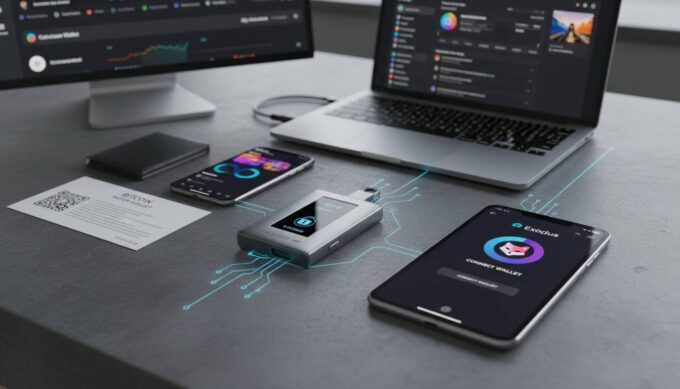
Many cryptocurrency holders employ both wallet types strategically:
Hot wallet (software): Keep 5-10% of holdings in a software wallet for daily transactions, trading, and DeFi interactions. This amount represents what you’re comfortable losing.
Cold storage (hardware): Store the majority of holdings (90%+) on hardware wallets or paper backups. These funds remain secure and accessible only when needed.
This分层 strategy provides both security and functionality without compromising either.
Frequently Asked Questions
Which is more secure, a hardware wallet or software wallet?
Hardware wallets are significantly more secure for storing significant cryptocurrency holdings. They keep private keys offline in tamper-resistant hardware, protecting against remote attacks and malware. Software wallets store keys on internet-connected devices, inherently exposing them to more attack vectors. However, hardware wallets still require careful handling—purchasing from official sources, securing recovery phrases, and verifying transactions on the device screen.
Can software wallets be hacked?
Yes, software wallets can be hacked through malware on your device, phishing attacks, vulnerabilities in the wallet software, or if using custodial services, attacks on the exchange itself. The 2022 hack of the Ronin Network (over $600 million stolen) and numerous other incidents demonstrate that software-based storage remains vulnerable. Even well-audited software wallets contain potential vulnerabilities.
Do I need a hardware wallet for small amounts?
For small amounts (under $1,000 or amounts you’re willing to lose), software wallets provide sufficient security while offering better convenience. As your holdings grow, transitioning to hardware wallet storage becomes increasingly important. Many users start with software wallets while learning and upgrade to hardware wallets as they accumulate more value.
What happens if I lose my hardware wallet?
If you lose your hardware wallet, you can recover all funds using your 24-word recovery phrase on a new device or compatible software wallet. This is why securing your recovery phrase is absolutely critical—it’s the ultimate backup. Without the recovery phrase, the device becomes useless and your funds are permanently inaccessible.
Can hardware wallets work with mobile phones?
Yes, most modern hardware wallets connect to mobile phones via USB On-The-Go (OTG) adapters or Bluetooth. Ledger Nano X features built-in Bluetooth for wireless connections. The mobile device handles the interface while the hardware wallet handles key management, maintaining security even when pairing with mobile devices.
Are hardware wallets worth the cost?
For holdings exceeding approximately $2,000, hardware wallets are absolutely worth the investment. The $79-249 cost represents comprehensive insurance against losses that could otherwise total your entire holdings. Even for smaller amounts, hardware wallets provide valuable security habits and peace of mind. The question isn’t whether you can afford a hardware wallet—it’s whether you can afford to lose your cryptocurrency without one.
Conclusion
The hardware wallet vs. software wallet decision ultimately depends on your specific circumstances: holdings value, technical comfort, transaction frequency, and risk tolerance.
For long-term holders with significant holdings, hardware wallets provide essential security that justifies their cost many times over. The offline protection, transaction verification, and tamper-resistant design create formidable barriers against both digital and physical attacks.
For active traders, DeFi participants, and those learning, software wallets offer necessary accessibility. The ability to quickly interact with applications, execute trades, and manage portfolios can’t be replicated by hardware-only solutions.
Most experienced cryptocurrency holders employ both—a software wallet for active management and transactions, hardware wallets for securing the majority of their holdings. This hybrid approach captures the benefits of both while mitigating their respective weaknesses.
Whatever you choose, remember: your private keys define your ownership. The wallet is merely the tool that protects those keys. Invest in understanding and securing your keys, and your cryptocurrency will remain safely under your control.





Leave a comment