

MetaMask is one of the most widely used cryptocurrency wallets, serving as a gateway to decentralized finance (DeFi) applications, NFT marketplaces, and blockchain-based services. With over 30 million monthly active users, the question “Is MetaMask safe?” is critical for anyone considering or currently using this popular Ethereum wallet.
The short answer: Yes, MetaMask is safe when used correctly, but its security entirely depends on user practices. The wallet itself has never been compromised through code vulnerabilities, but thousands of users have lost funds due to phishing attacks, scams, and poor security hygiene. MetaMask functions as a hot wallet—meaning it connects to the internet—which inherently carries different risk profiles compared to hardware wallets.
Key Insights
– MetaMask has maintained a strong security record with no major protocol-level breaches
– Over 90% of crypto thefts involving MetaMask users stem from phishing and social engineering
– Proper seed phrase management is the single most critical security practice
– The wallet supports hardware wallet integration for enhanced protection
– User education and security awareness are more important than the wallet’s technical security
Understanding How MetaMask Works
MetaMask operates as a browser extension and mobile application that serves two primary functions: storing cryptocurrency keys and connecting users to blockchain applications. Unlike traditional banking, where a central authority manages your funds, MetaMask gives you complete control over your assets through your private keys.
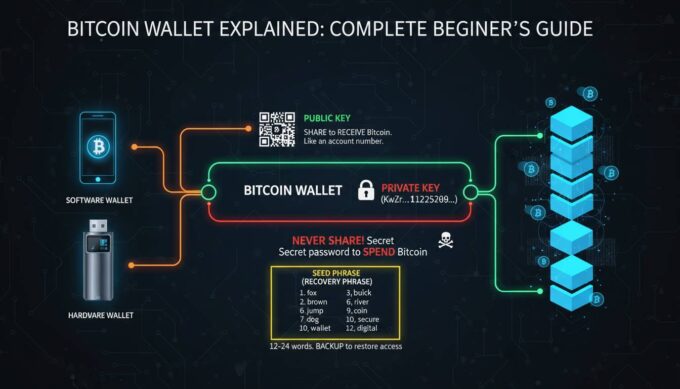
When you create a MetaMask wallet, the application generates a 12 or 24-word seed phrase (recovery phrase) using cryptographic standards. This seed phrase is the master key to your funds—it can regenerate your private keys and restore your wallet on any device. Understanding this mechanism is fundamental to grasping why security practices matter so heavily.
The wallet interacts with the Ethereum blockchain and other EVM-compatible networks by broadcasting transactions through its interface. Every transaction you sign with your private key gets validated by the network, and once confirmed, cannot be reversed. This immutability is a core blockchain feature that makes security prevention rather than recovery the priority.
MetaMask stores your encrypted private keys locally on your device, meaning the company never has access to your funds or keys. Your credentials never leave your device, which is a significant security advantage over custodial exchanges. However, this also means that if someone gains access to your device or tricks you into revealing your seed phrase, they can transfer your funds instantly.
MetaMask’s Built-in Security Features
MetaMask has implemented several security features designed to protect users from common attack vectors. Understanding these features helps you maximize your protection.
Encryption and Local Storage: MetaMask encrypts your private keys using your password before storing them locally. The encryption uses industry-standard practices, making it extremely difficult for malware on your device to extract your keys directly. However, this encryption is only as strong as your device’s overall security.
Transaction Preview and Simulation: Before confirming any transaction, MetaMask attempts to simulate the outcome, showing you exactly what will happen when you sign. This feature can help you detect malicious contracts that might drain your wallet through unexpected token approvals. Always review these simulations carefully.
Hardware Wallet Support: MetaMask integrates with hardware wallets like Ledger and Trezor, allowing you to keep your private keys completely offline while still interacting with DeFi applications. When using a hardware wallet, transactions must be physically approved on the device itself, adding a powerful security layer that no phishing attack can replicate.
Phishing Detection: MetaMask maintains a blocklist of known malicious websites and will warn you if you attempt to connect to a suspected phishing site. This built-in protection catches many common attack attempts, though it shouldn’t be your only line of defense.
Multiple Password Protection: You can set a separate password for extending the wallet in your browser, requiring authentication each time you want to use the extension. This prevents unauthorized access if someone gains physical access to your unlocked computer.
Common Security Risks and Vulnerabilities
Despite MetaMask’s technical security, several risk categories threaten users regularly. Recognizing these threats is essential for protection.
Phishing Attacks: The most common attack vector against MetaMask users involves fake websites, emails, or social media messages designed to trick you into revealing your seed phrase. Scammers create convincing replicas of legitimate DeFi platforms or send urgent messages about “wallet issues” requiring immediate action. According to blockchain security firm CertiK, phishing attacks account for the majority of crypto thefts targeting individual users.
Malware and Keyloggers: Malicious software on your device can capture your password when you enter it to unlock MetaMask, or record your seed phrase if you type it. Keyloggers, screen recorders, and clipboard hijackers pose real threats, especially on computers shared with others or lacking adequate antivirus protection.
Browser Extension Vulnerabilities: While MetaMask itself hasn’t been breached, browser extensions can have vulnerabilities that malicious actors exploit. Keeping your browser and all extensions updated is critical—researchers regularly discover new attack methods that get patched through updates.
Social Engineering: Scammers increasingly use sophisticated social engineering, building relationships with victims over time or impersonating MetaMask support staff. No legitimate support team will ever ask for your seed phrase, but scammers rely on users not knowing this.
Unapproved Token Spending: Many DeFi interactions require token approvals that allow contracts to spend specific amounts of your tokens. Malicious contracts can request unlimited approval, draining your wallet later. Regularly reviewing and revoking unused token approvals is a security practice many users overlook.
Best Practices for Securing Your MetaMask Wallet
Implementing robust security practices dramatically reduces your risk of losing funds. These recommendations represent the consensus among security experts in the cryptocurrency space.
Seed Phrase Security
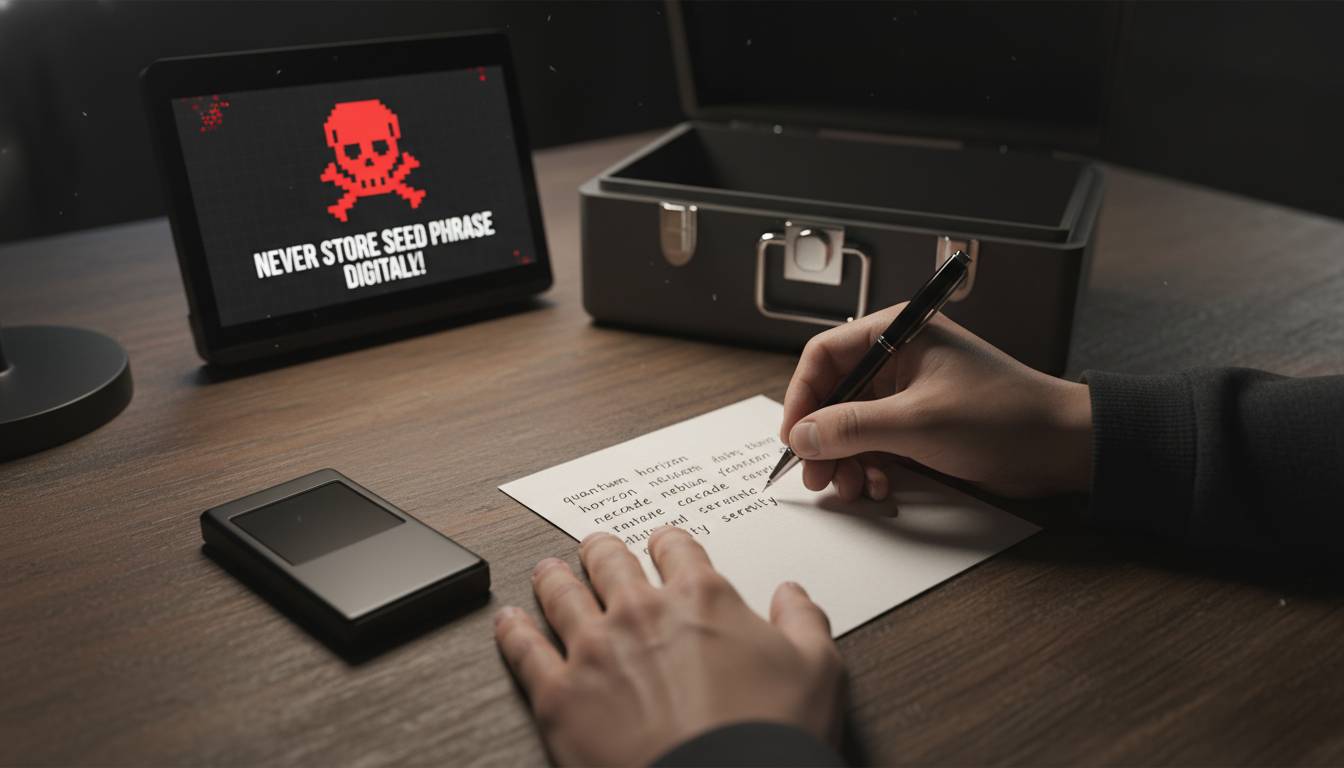
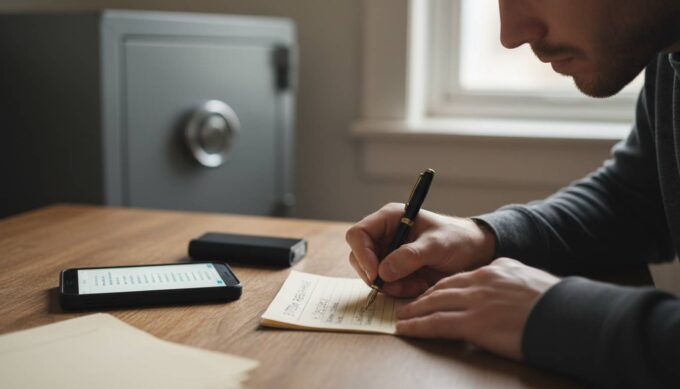
Your seed phrase is the ultimate key to your funds—anyone who has it can access your wallet regardless of passwords or other protections. Never store your seed phrase digitally. Write it down on paper and store it in a secure physical location, such as a safe or safety deposit box. Consider creating multiple copies stored in separate secure locations for redundancy against fire or theft.
Never share your seed phrase with anyone, including MetaMask support. The official team will never ask for it. Be extremely cautious of anyone claiming to offer support who requests this information. When entering your seed phrase to restore your wallet, ensure you’re using the official MetaMask application—bookmark the legitimate site and verify it every time.
Password and Device Security
Use a strong, unique password for your MetaMask wallet that you don’t use anywhere else. Enable two-factor authentication on any email accounts associated with your crypto activities. Keep your operating system, browser, and antivirus software current with security patches.
Consider using a dedicated device for cryptocurrency activities, minimizing exposure to the broader internet. When accessing DeFi platforms, use a browser specifically configured for this purpose, avoiding extensions that aren’t necessary for your security.
Transaction Safety
Always verify the website URL carefully before connecting your wallet—phishers often use slight misspellings like “metamask.io” versus “metamask.io” or similar lookalike domains. Before signing any transaction, carefully review what you’re authorizing, including the token amount and contract address.
For significant holdings or frequent DeFi interaction, strongly consider using a hardware wallet. The investment (typically $50-200) provides protection that seed phrase storage alone cannot match, as your private keys never touch an internet-connected device.
Network and Connection Security
Avoid accessing your wallet over public WiFi networks, which attackers can intercept more easily. Consider using a reputable VPN service to encrypt your connection, especially when transacting on public networks. Browser security settings should disable automatic password saving for your crypto wallets.
How to Verify You’re Using the Real MetaMask
Scammers frequently distribute fake MetaMask applications designed to steal your credentials immediately upon use. Verifying authenticity protects you from the most dangerous attacks.
Official Sources Only: Download MetaMask exclusively from the official website or official app stores. Verify the URL carefully—scammers purchase similar domains or use URL shorteners to disguise malicious links. For browser extensions, verify the publisher is “Consensys” in the Chrome Web Store, as MetaMask is operated by Consensys.
Before Installing: Check the number of users and reviews in the app store—fake apps often have few reviews or suspiciously generic feedback. Verify the developer’s contact information and website links are legitimate.
After Installing: Once installed, verify the extension’s permissions are appropriate—it should only need access to the websites you visit. Report any unusual behavior, such as unexpected popups or requests for additional permissions, immediately.
MetaMask vs. Other Wallet Options
Understanding how MetaMask compares to alternatives helps you choose the right security approach for your situation.
| Feature | MetaMask | Hardware Wallets | Mobile Wallets | Exchange Wallets |
|---|---|---|---|---|
| Control Type | Self-custody | Self-custody | Self-custody | Custodial |
| Internet Connection | Required | Only for signing | Required | Required |
| Average Cost | Free | $50-200 | Free | Free |
| Recovery | Seed phrase | Seed phrase | Seed phrase | Account recovery |
| Best For | DeFi interaction | Long-term storage | Mobile transactions | Beginners |
Hardware wallets like Ledger and Trezor provide the highest security for significant holdings by keeping private keys completely offline. However, they sacrifice some convenience for this protection. MetaMask bridges the gap by offering reasonable security with excellent DeFi integration.
Red Flags and Warning Signs
Learning to recognize attack attempts before they succeed is your most powerful defense. Watch for these common warning signs.
Urgent messages claiming your wallet needs immediate action or will be suspended are almost always scams. Legitimate services rarely send unsolicited requests for sensitive information. Unexpected airdrops of unknown tokens—where you receive free tokens you didn’t request—frequently lead to phishing sites when you try to claim them.
Anyone claiming to be MetaMask support asking for your seed phrase or offering to “verify” your wallet is attempting to steal your funds. Social media accounts promising free crypto or investment returns are almost universally scams. Links in direct messages, even from friends, should be treated skeptically—accounts get compromised and used to spread malicious links.
Frequently Asked Questions
Can MetaMask be hacked?
While MetaMask’s code hasn’t been exploited to steal funds directly, users have lost money through phishing attacks, malware, and social engineering. The wallet’s security depends heavily on user practices—following security guidelines significantly reduces your risk.
Is MetaMask safe for storing large amounts of crypto?
For large holdings, security experts generally recommend hardware wallets that keep private keys completely offline. You can use MetaMask with a hardware wallet for DeFi interactions while keeping your primary funds secured offline. This provides the convenience of MetaMask with enhanced security for significant assets.
What happens if I lose my MetaMask seed phrase?
If you lose your seed phrase and your device, your funds become permanently inaccessible—there is no password reset or recovery process. This is why securely storing your seed phrase in multiple locations is critical. Without the seed phrase, no one, including MetaMask, can recover your funds.
Should I use MetaMask on multiple devices?
Using MetaMask across multiple devices increases your attack surface. Each device represents a potential vulnerability. If you use multiple devices, ensure each has equivalent security, and always use the same seed phrase rather than creating new wallets. Alternatively, consider using a hardware wallet with MetaMask for more consistent security.
Does MetaMask ever ask for my seed phrase?
No. MetaMask will never ask for your seed phrase through customer support, email, or within the application under normal circumstances. The only time you should enter your seed phrase is when restoring your wallet on a new device or reinstalling the application. Even then, ensure you’re using the official MetaMask application.
How do I know if a DeFi website is safe to connect to my MetaMask?
Research any DeFi platform before connecting your wallet. Check for security audits, user reviews, and how long the platform has operated. Use tools like Etherscan to verify contract addresses, and be extremely cautious with new or unverified platforms. When in doubt, don’t connect—it’s better to miss an opportunity than to lose your funds.
Conclusion
MetaMask provides a secure gateway to the Ethereum ecosystem when used with appropriate security practices. The wallet’s architecture—local key storage, encryption, and open-source code review—represents reasonable security for most users. However, no amount of technical security protects against user mistakes like sharing seed phrases or connecting to phishing sites.
Your security ultimately depends on treating your seed phrase as the irreplaceable asset it represents, staying vigilant against increasingly sophisticated scams, and considering hardware wallet integration for significant holdings. The cryptocurrency space remains largely unregulated, meaning you bear complete responsibility for your funds. By implementing the practices outlined in this guide, you can use MetaMask confidently while minimizing your exposure to the most common attack vectors that compromise users daily.





Leave a comment